Cheerful for ChatGPT
Find creators and check your campaigns, right inside ChatGPT
Cheerful is a ChatGPT app for influencer marketing. Ask it to find Instagram, TikTok or YouTube creators, vet a creator, save a shortlist, or tell you who replied and who posted. Answers arrive as interactive cards, from your own Cheerful account.
What you see
Real conversations, real cards
Each example is a prompt typed into ChatGPT and the Cheerful card it returns, screenshotted from a live conversation. The prompts are read-only.
Find creators from a brief
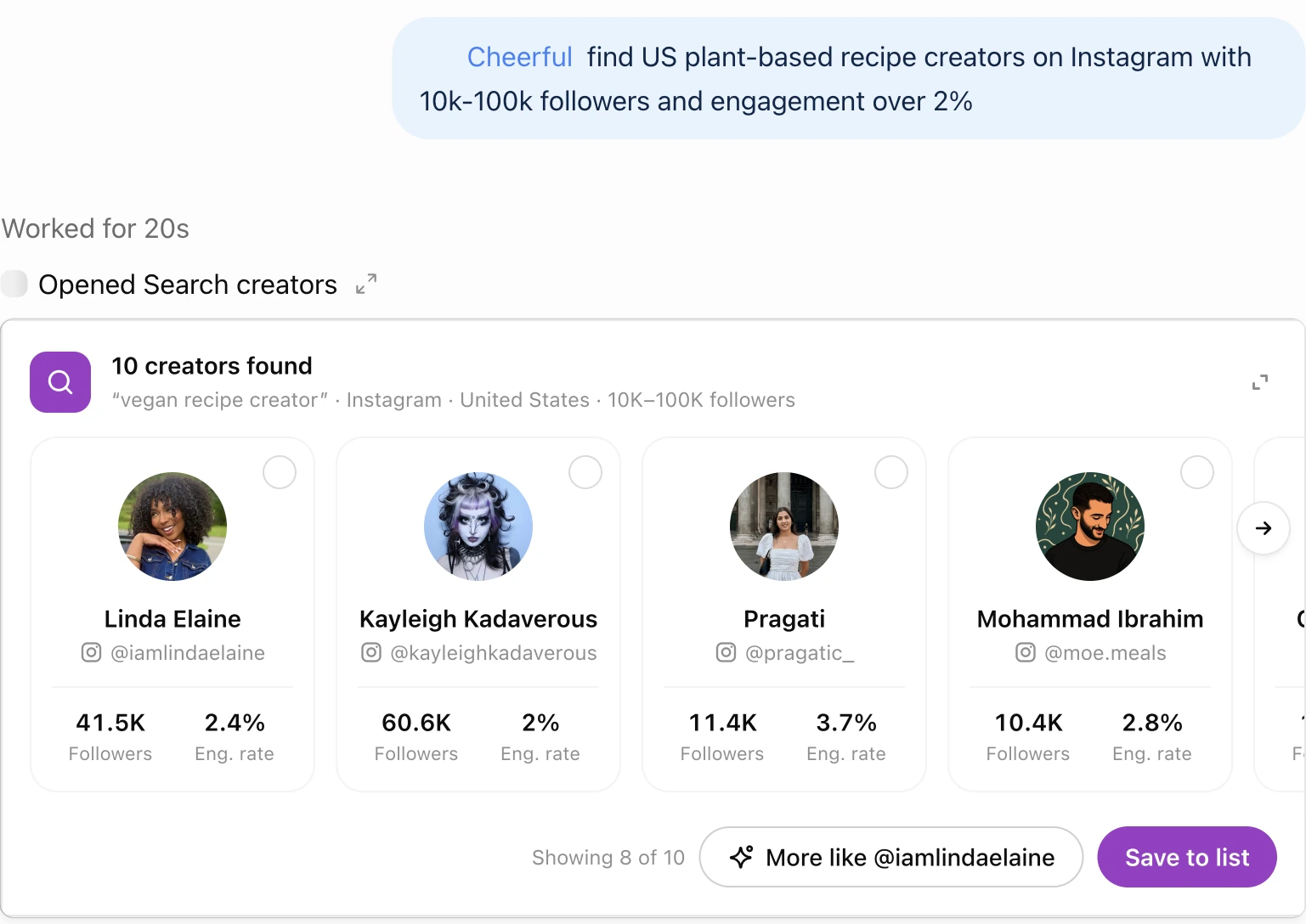
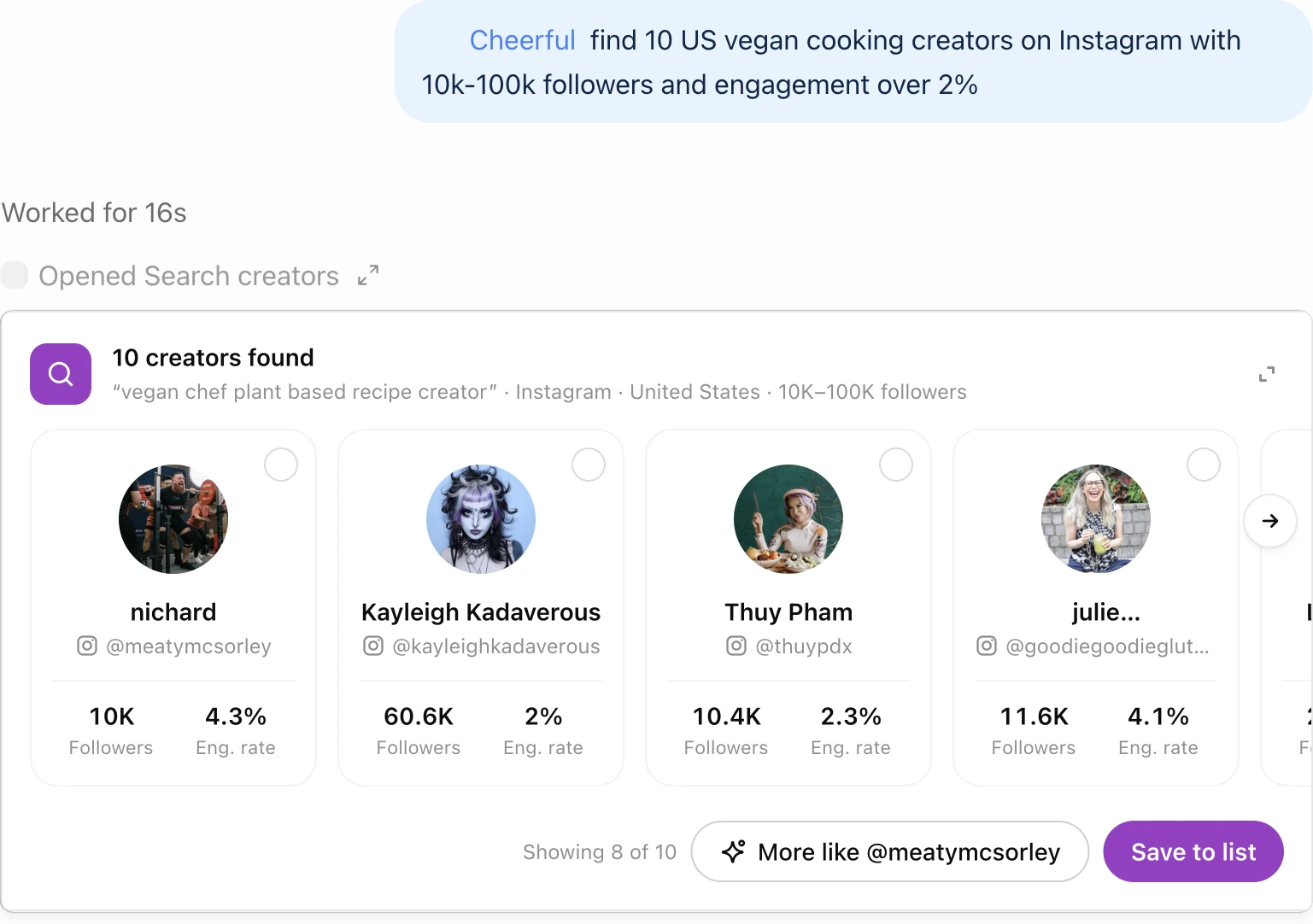
A shortlist with followers and engagement on every card. Save the ones you want to a list in one click.
The prompt, typed into ChatGPT:
“@Cheerful find 10 US vegan cooking creators on Instagram with 10k-100k followers and engagement over 2%”
Vet one creator
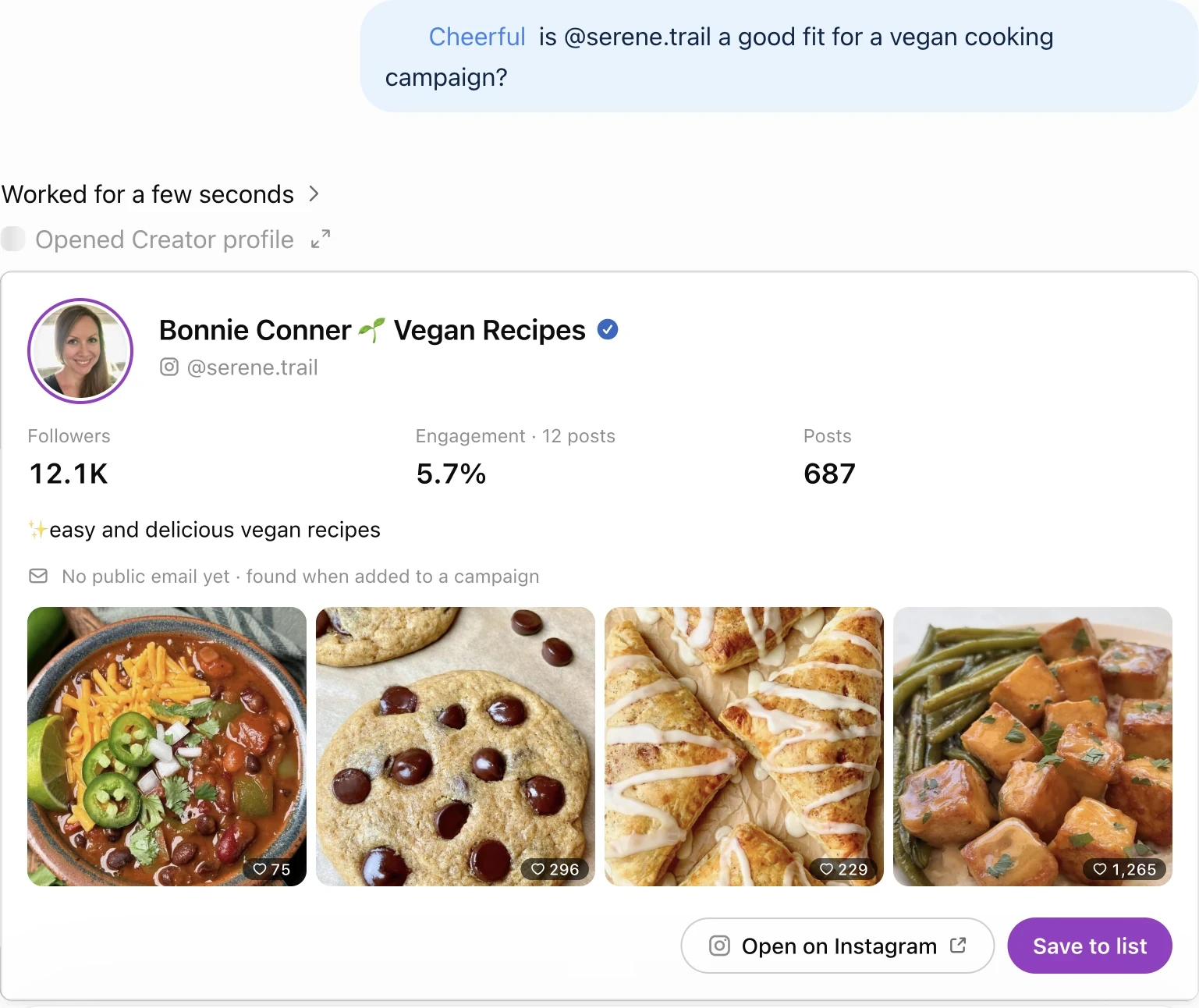
Followers, engagement over recent posts, bio, recent post grid, and whether a public email exists.
The prompt, typed into ChatGPT:
“@Cheerful is @serene.trail a good fit for a vegan cooking campaign?”
What you can ask
Prompts to start with
Describe what you need in your own words, or call the app directly with @Cheerful.
- @Cheerful what can you do?
- @Cheerful give me a summary of my latest campaign
- @Cheerful how many credits do I have left?
Campaign prompts
These work where Cheerful has switched on the campaign tools for your account. Otherwise ChatGPT says campaigns are set up in the Cheerful app.
- @Cheerful set up a gifting campaign for our new vegan protein bar
- @Cheerful which inbox will this send from?
- @Cheerful show me the launch preview
How to connect
Add Cheerful to ChatGPT
- 1Sign up for a free Cheerful account at app.cheerful.ai. Sign-up is free and needs no card.
- 2In ChatGPT, open Plugins (chatgpt.com/plugins), search for "Cheerful", select it and connect.
- 3If you cannot see it (some workspaces hide the directory), add it by URL: turn on Developer mode under Settings > Security and login (on paid ChatGPT plans, on the web), then on the Plugins page select the plus button, choose OAuth, enter https://mcp.cheerful.ai/mcp and create it.
- 4Sign in to Cheerful in the window that opens and allow access. ChatGPT then acts as you, with your own permissions.
- 5Start a chat and ask for what you need, or type @Cheerful to call it directly.
Connection URL: https://mcp.cheerful.ai/mcp. Using Claude, Cursor or VS Code instead? The client-by-client setup uses the same URL.
Limits
What it does, and what stays in the Cheerful app
The ChatGPT app reads your account, saves creators to your lists and can draft campaigns. Nothing is sent until you click Confirm & send on the launch card. Replies and changes to live campaigns happen in the Cheerful app.
In ChatGPT
- Search Instagram, TikTok and YouTube creators from a plain-language brief, or find creators similar to a handle
- Vet one creator: followers, engagement, bio, recent posts, and a public email if one exists
- Save creators to a new or existing Cheerful list
- Read campaign results, creator replies and posted content
- Check your connected account, integrations and credit balance
- With the campaign tools switched on: draft a campaign from a brief, add creators, check the sending inbox and preview the launch
Only in the Cheerful app
- Send an email or an Instagram DM. A campaign goes out only when you click Confirm & send on the launch card
- Pause, delete or edit a live campaign, or add creators to one
- Reply to creators. It can draft reply text for you to paste into Cheerful
- Buy sending domains
Ask ChatGPT to do one of these and Cheerful says plainly that it happens in the app. It can still draft reply text for you to paste in.
Credits
Creator searches use credits from your Cheerful plan. Reading a creator profile, your lists, campaigns, replies, posted content and credit balance is free. Ask “how many credits do I have left?” at any time. Plans and credit prices are on the pricing page.
FAQ
Questions about Cheerful in ChatGPT
Is there a ChatGPT app for influencer marketing?
Yes. Cheerful for ChatGPT lets you find Instagram, TikTok and YouTube creators, vet a creator, save shortlists, and check your campaigns, creator replies and posted content from inside ChatGPT. Results show up as interactive cards. It connects to your own Cheerful account. Outreach goes out only when you click Confirm & send.
How do I add Cheerful to ChatGPT?
Open Plugins in ChatGPT (chatgpt.com/plugins), search for Cheerful, select it and sign in with your Cheerful account. If your workspace hides the directory, add it by URL: turn on Developer mode under Settings > Security and login, then add a plugin with https://mcp.cheerful.ai/mcp and OAuth.
Can Cheerful send emails or DMs to influencers from ChatGPT?
Only you can send. ChatGPT cannot send email or DMs itself. A campaign goes out when you click Confirm & send on the launch card, from your own connected mailbox. ChatGPT also cannot pause, delete or edit a live campaign; do that in the Cheerful app.
Does it cost anything?
Sign-up is free and needs no card. Creator searches use credits, and reading creator profiles, lists, campaigns, replies, posted content and your credit balance does not. Launching a campaign needs a paid Cheerful plan. Plans and credit prices are at cheerful.ai/pricing.
What can it change in my account?
It can save creators to your lists, and a YouTube search saves its results to a new list. With the campaign tools switched on, it can also create campaign drafts and edit them. It cannot send anything, or change a live campaign.
Which platforms can it search, and how long does a search take?
Instagram, TikTok and YouTube. A keyword search returns in a few seconds and a smart search takes about a minute. A YouTube search runs in the background for 10 to 45 minutes, and ChatGPT checks back on it when you ask.
Why do some creators show no email?
Most creators do not publish an email, so a missing one is the normal case rather than an error. Cheerful looks up contact details when a campaign launches. Until then the creator shows as finding email, which is normal.
Does it work in Claude too?
Yes. The same connector, https://mcp.cheerful.ai/mcp, works in Claude, Cursor, VS Code, Windsurf and other MCP clients. Setup for each one is on the MCP docs page.
Guides for the same jobs
How to know if an influencer actually posted
Check which creators posted about your product, without checking each feed by hand.
Read it →Influencer Gifting Campaigns: The Complete Playbook
Outreach, shipping and tracking for a gifting campaign, with real numbers from one.
Read it →Fitness Influencers on Instagram, Measured Live
Finding and vetting fitness creators on Instagram.
Read it →Run your next campaign
on Cheerful
From first hello to signed agreement — see how much of the work disappears.